


 Trusted Uploader
 Premium Member
 Review Expert
 Scan Virus Free
- Sep 26, 2025
- 147
- 11
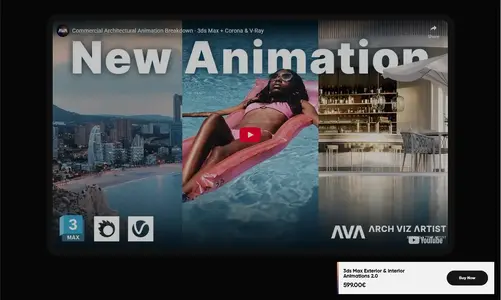
Archviz Artist – Exterior & Interior Animation 2.0 – Complete Real-Time Visualization and Rendering Workflow
Archviz Artist – Exterior & Interior Animation 2.0 is a professional training course designed to teach architectural visualization artists the full workflow of creating realistic exterior and interior animations. The course focuses on camera movement, lighting, composition, and rendering techniques using Unreal Engine and 3ds Max for high-end visual storytelling.
Introduction
Exterior & Interior Animation 2.0 by Archviz Artist is an advanced training program that demonstrates how to create cinematic-quality architectural animations from start to finish. It’s aimed at 3D artists, architects, and designers who want to showcase their projects through dynamic, polished animations. The course blends artistic direction with technical execution, covering every stage from scene setup and lighting to camera animation, rendering, and post-production.
Key Features & Highlights
The course offers a step-by-step breakdown of how to build and animate both interior and exterior environments. Students learn scene preparation in 3ds Max, material setup, and lighting calibration to achieve photorealistic results. The instructor then moves into Unreal Engine, showing how to set up real-time lighting, global illumination, and reflection systems. Camera paths, motion design, and timing are discussed to ensure cinematic flow. The training also includes lessons on rendering optimization, color grading, and final video composition, ensuring a complete production-ready workflow.
Why This Course Stands Out
Archviz Artist’s Exterior & Interior Animation 2.0 stands out for combining artistic presentation with real-time technology. Unlike traditional static visualization courses, it teaches how to bring architecture to life through motion and storytelling. The course emphasizes practical techniques that deliver professional results without requiring complex simulations. Its streamlined workflow between 3ds Max, Unreal Engine, and post-production tools makes it ideal for artists looking to work efficiently while maintaining high visual standards.
Practical Applications
This course is perfect for architectural visualization professionals, interior designers, and 3D generalists working on real estate, marketing, or design presentations. The methods can be used to produce animated walkthroughs, cinematic trailers, and client-ready promotional videos. The techniques also apply to virtual production and immersive experiences using real-time rendering. By the end of the course, learners will be able to create polished, dynamic animations that showcase architectural projects with depth, realism, and storytelling impact.
Ease of Learning
Despite its professional scope, the course is structured to accommodate learners at all levels. Each module builds logically on the previous one, making complex workflows approachable. Beginners benefit from clear step-by-step demonstrations, while experienced artists gain insight into workflow optimization and advanced rendering setups. The instructor’s teaching method balances creativity and technical depth, ensuring every artist can follow along comfortably and apply the lessons to their own projects.
Expert Review
Industry professionals praise Archviz Artist – Exterior & Interior Animation 2.0 for its thoroughness and practicality. The training provides real-world workflows that mirror studio production standards, especially in architectural visualization and design visualization. The clarity in explaining lighting, timing, and composition has made it a highly respected course among visualization artists. It’s particularly valued for helping creators transition from static renders to full animated storytelling with professional polish.
Quick Insights
Archviz Artist – Exterior & Interior Animation 2.0 is a complete guide to creating stunning architectural animations. It blends technical mastery with artistic direction, offering the tools and knowledge needed to produce cinematic real-time visualizations for modern architecture and design.
Learn More & Explore: Official Archviz Artist Reference
Frequently Asked Questions
Q1. Which software is used in this course?
A1. The course primarily uses 3ds Max for modeling and Unreal Engine for real-time animation and rendering.
Q2. Is this course suitable for beginners?
A2. Yes, it’s designed for all levels. Beginners learn foundational workflows, while advanced users refine professional animation techniques.
Q3. Does it include project files?
A3. Yes, project files are included, allowing learners to follow along and practice with real production assets.
Q4. Can I apply these techniques to client projects?
A4. Absolutely. The workflows are optimized for real-world production and client presentation standards in architecture and design.

 Verified Member
 Full Access Granted
 Lifetime Access