


 Trusted Uploader
 Premium Member
 Review Expert
 Scan Virus Free
- Sep 26, 2025
- 147
- 11
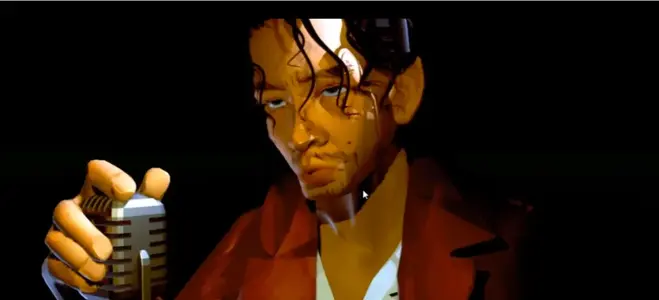
Sketching in Blender with Azusa Tojo ENG – Creative 3D Illustration and Design Workflow
Sketching in Blender with Azusa Tojo ENG is a creative training course that introduces a unique approach to 3D sketching and illustration inside Blender. It focuses on transforming artistic ideas into dynamic 3D scenes through intuitive modeling, composition, and lighting — bridging the gap between 2D sketching and 3D visualization.
Introduction
Sketching in Blender with Azusa Tojo ENG is designed for artists who want to use Blender as a tool for concept sketching and visual exploration. The course demonstrates how to translate quick ideas into expressive 3D compositions using simple geometry, lighting, and texturing techniques. Rather than focusing on complex technical workflows, Azusa Tojo teaches a creative, painterly process that encourages experimentation, storytelling, and visual mood building within Blender’s 3D space.
Key Features & Highlights
The course walks through the full process of creating sketch-style 3D scenes from start to finish. Students learn how to block shapes efficiently, build visual balance through proportion and perspective, and add atmosphere using light and shadow. Azusa introduces techniques for stylized rendering, using Blender’s Eevee and Cycles engines to achieve hand-painted or cinematic looks. The course also covers camera composition, material simplification, and post-processing workflows to enhance the sketch’s mood and narrative clarity.
Why This Course Stands Out
Unlike traditional modeling tutorials, Sketching in Blender focuses on *visual storytelling* rather than technical accuracy. Azusa Tojo’s teaching style bridges art fundamentals with 3D design, helping artists think compositionally while using digital tools. The emphasis on creativity over precision allows learners to rapidly prototype ideas and develop strong visual instincts. The course encourages freedom of expression and is ideal for illustrators, designers, and concept artists who want to merge 2D sensibility with 3D flexibility.
Practical Applications
The techniques taught in this course can be applied across various fields including concept art, visual development, environment design, and digital illustration. Artists can use the sketching workflow to explore scene ideas, design layouts, or create stylized visual narratives. The process is particularly useful for previsualization, animation look development, and cinematic art direction. The ability to “sketch” directly in Blender gives creators a fast, intuitive way to iterate ideas without needing to render final assets immediately.
Ease of Learning
The course is beginner-friendly and focuses on creative thinking rather than technical mastery. Azusa explains every tool and concept in a clear, approachable way, making it easy for both 2D and 3D artists to follow along. The lessons include practical examples, visual breakdowns, and complete project demonstrations. The workflow is accessible for anyone familiar with Blender basics, and it provides valuable inspiration for artists looking to experiment and develop their unique style.
Expert Review
Experts in concept design and illustration praise Sketching in Blender with Azusa Tojo ENG for its innovative approach to digital sketching. The course successfully merges artistic creativity with Blender’s 3D power, helping artists expand their visual thinking. The emphasis on light, shape, and atmosphere makes it a perfect fit for artists seeking to improve their storytelling through design. It stands as one of the most artistically enriching Blender courses available, emphasizing creativity over complexity.
Quick Insights
Sketching in Blender with Azusa Tojo ENG provides a refreshing creative workflow for artists who want to blend 2D art sensibility with 3D design. It’s an inspiring course that teaches how to express ideas visually, compose scenes effectively, and bring artistic sketches to life in Blender.
Learn More & Explore: Official Blender Reference
Frequently Asked Questions
Q1. Do I need to be experienced with Blender to take this course?
A1. No, basic Blender knowledge is enough. The course focuses more on creativity and composition than technical modeling.
Q2. What style of art does this course teach?
A2. The course explores stylized and illustrative 3D art, combining hand-drawn sensibilities with digital rendering.
Q3. Does the course provide project files?
A3. Yes, reference scenes and project examples are included for learners to study and experiment with.
Q4. Can this workflow be applied to other 3D software?
A4. Yes, while the lessons are Blender-specific, the artistic principles and sketching mindset apply universally to any 3D design tool.

 Verified Member
 Full Access Granted
 Lifetime Access