


 Trusted Uploader
 Premium Member
 Review Expert
 Scan Virus Free
- Sep 26, 2025
- 147
- 11
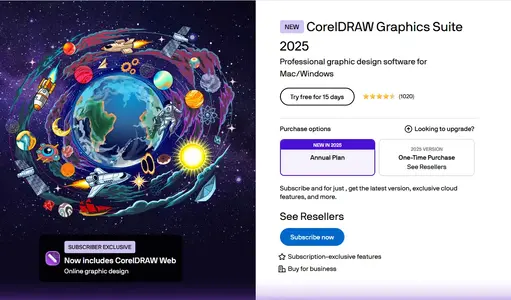
CorelDRAW Graphics Suite 2022 (v24.3.1.576) – Professional Design, Illustration & Vector Graphics Overview
CorelDRAW Graphics Suite 2022 is a professional design solution built for vector illustration, photo editing, layout, and typography. This version enhances creative workflow with faster performance, better collaboration tools, and new AI-assisted design features tailored for professional artists, illustrators, and creative teams.
Introduction
CorelDRAW Graphics Suite 2022 delivers a complete creative platform for professional designers who require precision and flexibility. It includes CorelDRAW for vector illustration, PHOTO-PAINT for image editing, and additional tools for typography, layout, and collaboration. This version refines performance and compatibility, offering a more responsive interface and deeper integration with modern hardware acceleration and Windows 11 support. The suite provides all essential tools for print, digital, and branding professionals seeking consistent, high-quality results.
Key Features & Highlights
CorelDRAW 2022 focuses on speed, accuracy, and collaboration. Its new performance engine significantly improves rendering times for complex vector graphics and large-format designs. Enhanced multi-page view allows designers to manage multiple layouts simultaneously within one workspace. The new Export workflow simplifies asset delivery by allowing users to batch export objects and pages in various formats. AI-assisted tools such as PowerTRACE and Image Adjustment Lab improve workflow automation and visual consistency. The suite also features an updated color management system, variable font support, and precision drawing tools that align with industry-standard output requirements.
Why Choose CorelDRAW Graphics Suite 2022
CorelDRAW 2022 stands out for its user-friendly interface, versatility, and professional-grade output quality. It supports creative industries including marketing, architecture, product design, and publishing. The suite provides cross-platform functionality across Windows, macOS, and the web through CorelDRAW.app, enabling users to collaborate remotely and access projects anywhere. Unlike basic design tools, CorelDRAW emphasizes full vector control, non-destructive editing, and file compatibility with formats such as AI, PSD, PDF, and SVG. This makes it ideal for both print and digital designers.
System Requirements
CorelDRAW Graphics Suite 2022 requires Windows 10 or 11 (64-bit) with an Intel or AMD processor, 4 GB RAM minimum (8 GB recommended), and 3 GB of free storage. A multi-touch screen or pen input is supported for advanced workflows. The application benefits from GPU acceleration for smoother zooming, panning, and rendering, and an internet connection is required for installation, updates, and cloud-based collaboration features.
Installation and Setup Guide
The official CorelDRAW Graphics Suite installer can be obtained directly from Corel’s website or authorized partners. After installation, users can activate their product with a valid license or Corel account login. Updates and optional components can be downloaded through the CorelDRAW Update Manager. It is recommended to always use official channels to maintain software authenticity and access to future updates. Unofficial or modified versions should be avoided to prevent licensing issues or system instability.
Security and Data Protection
CorelDRAW 2022 ensures data integrity with built-in auto-save and recovery options. Projects can be synced to the cloud securely via Corel’s online services. The suite also supports color profile management for consistent printing and secure collaboration options for design teams. Users are encouraged to register their software to access official resources, customer support, and verified plug-ins.
Expert Review
Design professionals recognize CorelDRAW Graphics Suite 2022 as a versatile and powerful alternative to other industry-standard applications. Experts praise its performance improvements, flexible interface, and robust vector tools that make large-scale projects manageable and efficient. The enhanced AI automation and modern typography features bring a balance between precision and creativity. Reviewers also note its affordability and long-term stability for small studios and large production environments alike.
Quick Insights
CorelDRAW Graphics Suite 2022 provides an integrated environment for illustration, layout, and image editing. Its focus on performance, precision, and collaboration makes it an essential choice for creative professionals. Whether designing logos, product packaging, or marketing materials, CorelDRAW ensures high-quality results with efficient workflow management.
Learn More & Explore: Official CorelDRAW Graphics Suite 2022 Reference
Frequently Asked Questions
Q1. What applications are included in CorelDRAW Graphics Suite 2022?
A1. The suite includes CorelDRAW, PHOTO-PAINT, Font Manager, PowerTRACE, CAPTURE, and AfterShot HDR.
Q2. Is CorelDRAW 2022 compatible with Windows 11?
A2. Yes, CorelDRAW 2022 is fully optimized for both Windows 10 and Windows 11 (64-bit).
Q3. Can I use CorelDRAW on macOS?
A3. Yes, CorelDRAW Graphics Suite 2022 includes a macOS version and web access via CorelDRAW.app.
Q4. Does CorelDRAW 2022 require an internet connection?
A4. Internet is required for activation, cloud collaboration, and update management.

 Verified Member
 Full Access Granted
 Lifetime Access